How to Change Radio in GTA 6
To change radio stations in GTA VI, you need to click on this left arrow when you are in the car. And now, by using the R1 or the L1 button, as you can see…
Quick answer
To change radio stations in GTA VI, you need to click on this left arrow when you are in the car. And now, by using the R1 or the L1 button, as you can see, it is possible to pick any radio station that is available for example by city.
So, to go ahead and turn it off normally, you just hold down left on the D-pad when you're in the car, and that will take you to the radio section where you can then press L1 and R1 and skip through radio stations.
How to turn the radio on or off
Hold it. And of course, we have to click X to turn on um you know to turn on the radio and play that music.
Now, you can turn it on or off by clicking X or A on Xbox.
How to change radio settings
And again, you can go left or right through these stations with L1 and R1. You can also change how the radio behaves once you get into the car in settings. You can also go to the vehicle radio, and you can have it on default.
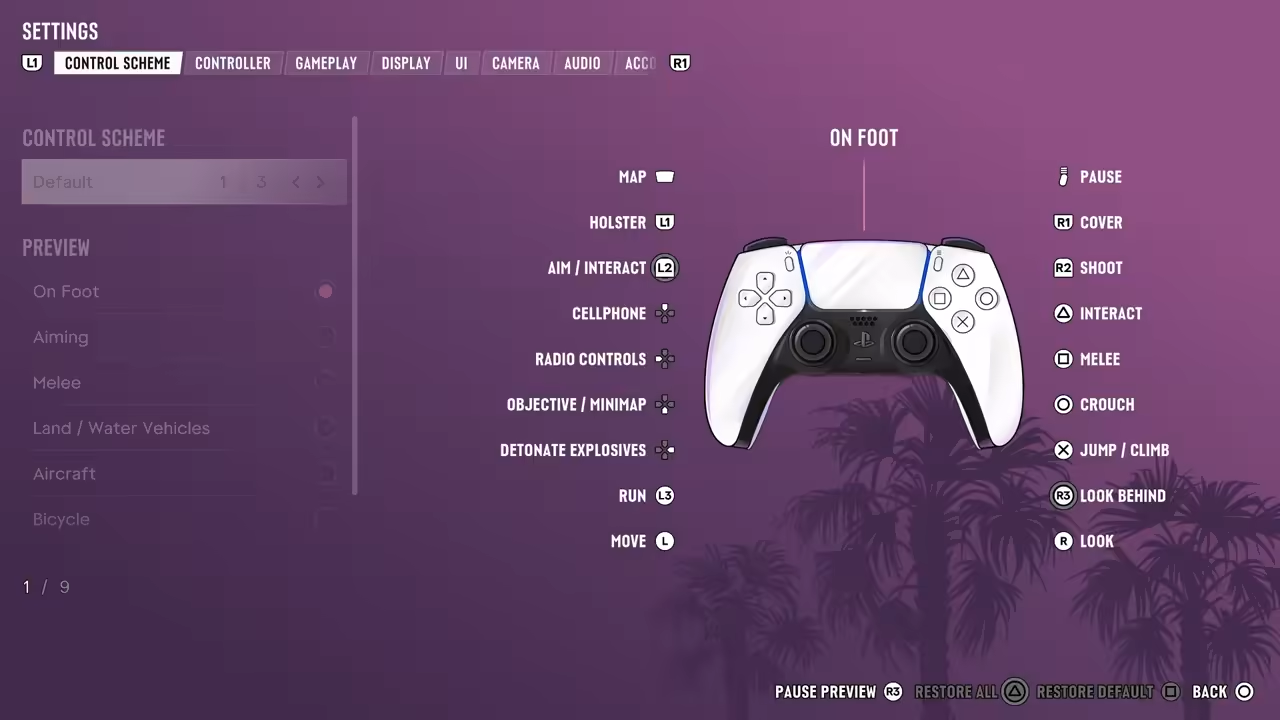
Whatever radio station you were previously listening to will come on. You can also change it to on, and it will just power on the radio, or you can change it to off completely, and it will be completely turned off.
How to change radio volume
To change your radio volume in the GTA 6, you have to for sure open settings. Now, we'll have to scroll down and we want to change media sound. So now, let's say in my case, I'm going to set for like three.
And now we can just simply go back.