GTA 6 is playable in first-person, here's how to activate it
In GTA 6, you can activate a playable first-person glitch by changing your controller settings and performing a vehicle camera input trick.
Quick answer
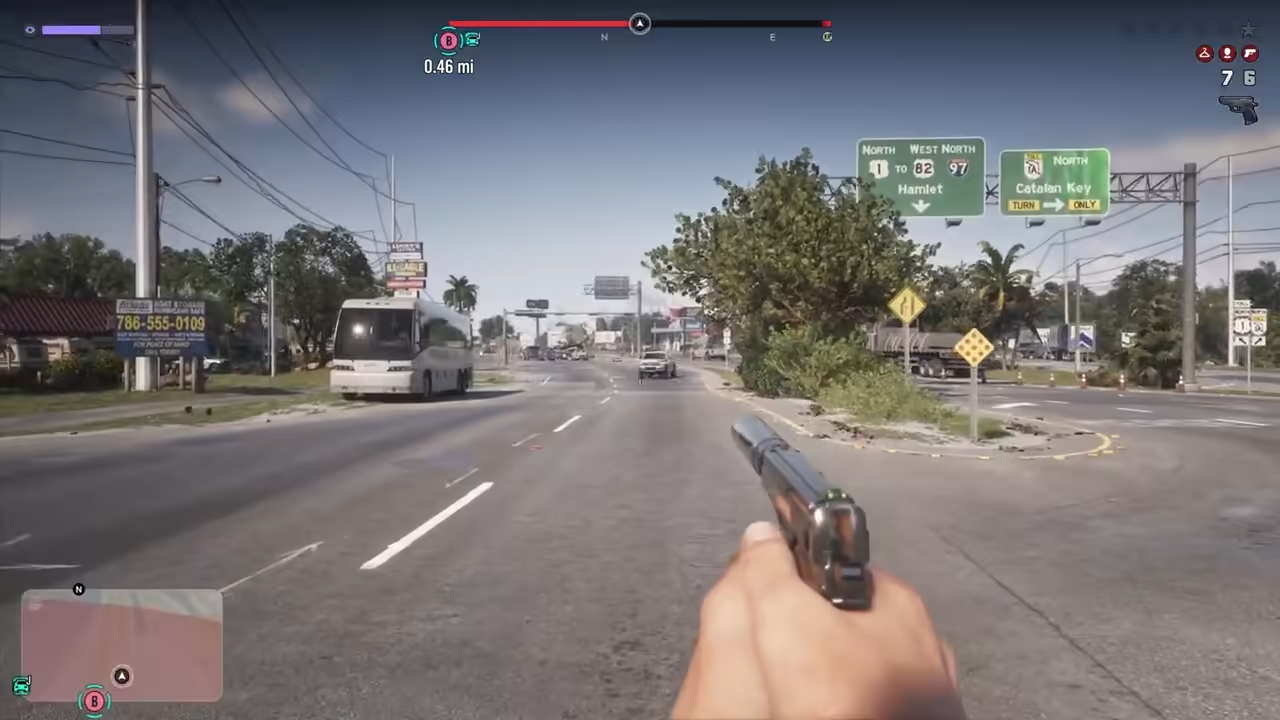
In GTA 6, you can activate a playable first-person glitch by changing your controller settings and performing a vehicle camera input trick. While not a fully polished official mode, this method forces the camera into a first-person perspective that persists even after exiting vehicles and dying.
How to turn on first person in GTA 6
- Settings adjustment: Open your game settings and navigate to the controller tab.
- Touchpad button: Scroll to the bottom of the controller settings and change the touchpad button function from map to camera.
How to activate GTA 6 first-person glitch
- Enter a vehicle: Get inside any vehicle in the game.
- Open the phone: Press up on the D-pad to view the in-game phone.
- Spam buttons: Press the exit prompt on screen (lower right) while repeatedly spamming the touchpad button until the perspective shifts.
- Exit the vehicle: Once the glitch triggers, step out of the car to walk around in the first-person perspective.
How to revert first person mode in GTA 6
- Reload save: The only reliable way to exit the first-person glitch and return to the normal camera view is to reload your save.
Key takeaways
- Controller requirement: You must reassign the touchpad button to camera in the controller settings before attempting the glitch.
- Vehicle trigger: The glitch requires sitting in a car, pulling up the phone with the D-pad, and spamming buttons.
- Persistence: The first-person perspective remains active even after leaving the vehicle, pulling out items, or getting wasted by the police.
- Reversion method: You cannot easily toggle the perspective back off without reloading your game save.
FAQ
How do I activate first person in GTA 6?
Change your controller touchpad setting to camera, sit in a car, open your phone with the D-pad, and spam the exit prompt alongside the touchpad button.
Can you walk around in first person in GTA 6?
Yes, once the vehicle glitch is successfully triggered, you can step out of the car and explore the game world from the first-person perspective.
How do I switch back to third person in GTA 6?
The current method does not have a simple toggle to turn off, so you will need to reload your save to return to the standard camera view.
Does the GTA 6 first person glitch stay active after dying?
Yes, your character remains in the first-person perspective even after getting wasted by the police and respawning.
More GTA 6 guides
- GTA 6: First Person Gameplay Clip and Leonida Map Leak Surface
- GTA 6 Add-Ons Not Installing on Xbox Series X/S? Here Is How to Fix It
- GTA 6 Beginner Guide: First Night Crimes, Cars, and Money
Video
GTA 6 FIRST PERSON MODE Glitch: How to Play GTA 6 in First Person (Easy, Fully Playable) by Mon Facts