All Controls And What They Do In GTA 6
According to creators who played the preview build, GTA 6 moves sprint to clicking the left stick. You actually rotate the stick to work the lock.
Quick answer
According to creators who played the preview build, GTA 6 moves sprint to clicking the left stick. You actually rotate the stick to work the lock. R1 is your use button.
Button logic and face button functions
In GTA 6, the face buttons have a personality. Triangle is the nice button. Knock on a door, pick up a bag, pet a dog, quietly break into a car.
Anything careful or friendly, it's triangle. Circle is the rough button. Smash a window, tell your partner to hurry up, put someone on the floor.
Anything loud or forceful, that's circle. Then you've got R 1 for using or looking at things like drinking, smoking, or studying an animal. And L 2 to focus on a person.
GTA 6 actually has a system. And if that sounds familiar, it's because it's straight off Red Dead 2.
How vehicle entry and carjacking work
Number three, stealing cars got a whole lot harder. In GTA 6, walk up to a locked car and you get two prompts at the same time. Triangle for slim gym, circle for smash window.
Smashing the window is fast, but it's loud. People notice. Pick slim gym and a pink gauge pops up around the right stick.
It's a little mini game every time. Quiet and slow or fast and loud. That one choice decides how much attention you get.
Newer cars are harder to crack and some of them can even have trackers. So the car you pick matters as much as how you take it.
Interactions and talking to people
Number four, talking to people the Red Dead way. Hold L2 on a person and their name pops up. Now you've got options.
Greet, antagonize, question. If you played Red Dead 2, your hands already know this. And it's not just for show.
The same system lets you talk your way out of a fight instead of shooting your way out. And yes, you can pet the dog. Focus on it with L2 and you get four options.
Triangle to pet, circle to scold, R1 to study it. That study option hints at some kind of animal journal like in Red Dead.
Partner and character controls
Number five, Jason and Lucia controls. When the two of them are together, L2 focuses on your partner and you'll see their name like Lucia right on the prompt. Circle tells them to hurry up and R2, which you hold down, makes them hold hands while you walk.
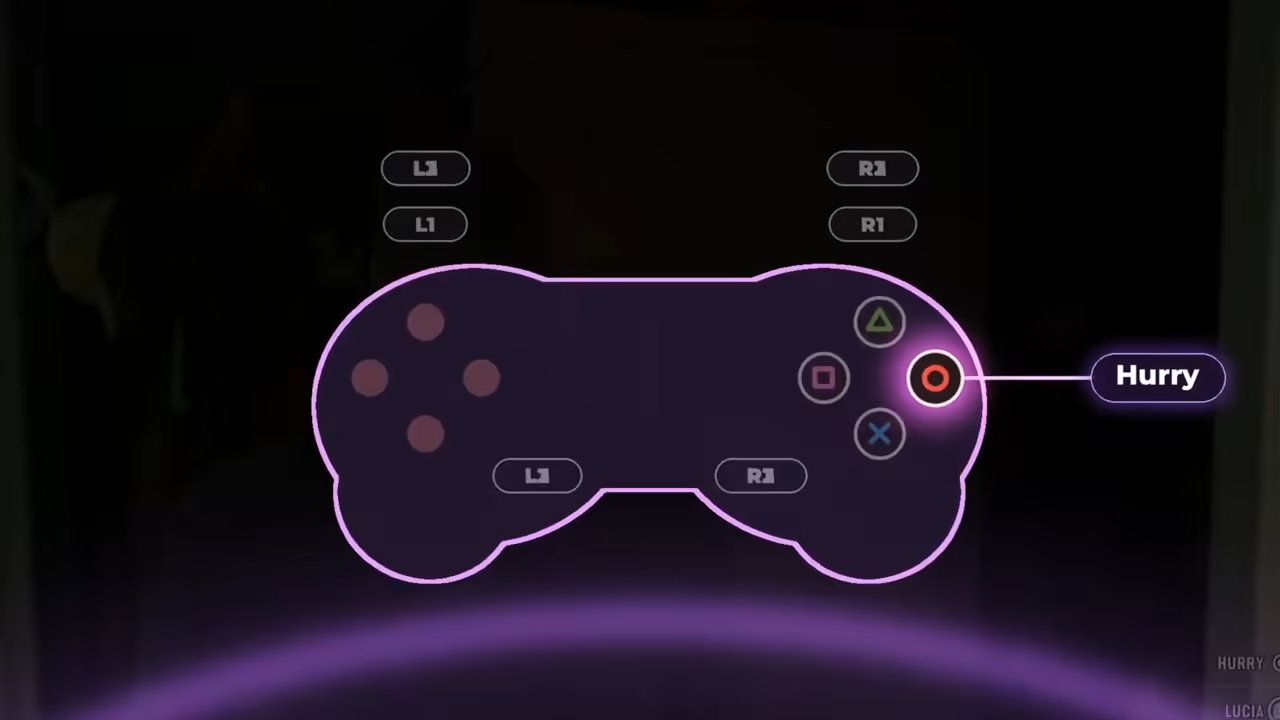
It's not a toggle either. Let go of R2 and they let go too. It sounds like a tiny thing, but Rockstar putting a held button on holding hands tells you how much the relationship matters in this game.
Weapon wheel and inventory controls
Number seven, the weapon wheel finally makes sense. The GTA VI wheel has two tabs, weapons and items, and R1 flips between them. You get slots like unarmed and sidearm plus body armor.
And in the corner, two quick use items. Square for health pills, triangle for an adrenaline shot. No more pausing to eat 10 candy bars mid fight.
Walk over and press L1 to pick it up or swap. There's also a separate mask wheel so you can pull on a disguise while you're still sitting in the car, which makes sense because the cops in this game remember your face and your outfit.
Melee combat and shooting controls
Number eight, fights are all about prompts now. Close up fights use prompts that show up in the moment. It grabbed and a pulsing circle appears.
Mash it to break free. During that same struggle, a triangle window pops up to counter or disarm them. Hit it at the right time and you flip the fight.
And circle is also the takedown. Both Jason and Lucia get a slow motion targeting ability, very much like Dead Eye in Red Dead. When you lean out of a car to shoot, your firing arc gets way wider.
That means a passenger can actually cover the whole chase, not just the cars right behind you.
Complete control cheat sheet summary
Triangle, knock, pick up pet slim jim. Circle, smash, hurry, take down, drop. Square, health pills.
R one, drink, eat, smoke, study, and switch tabs on the wheel. L one, grab a gun off the floor. L two, focus on someone or throw cash.
R two, hold hands or shoot a hoop. And L three, click it to sprint.
Basic Controls Overview
Triangle is careful, circle is loud, R one is use, L two is focus. Learn those four and you'll feel at home from minute one.
Sprinting Controls
Clicking L3 to sprint after 25 years of tapping X.